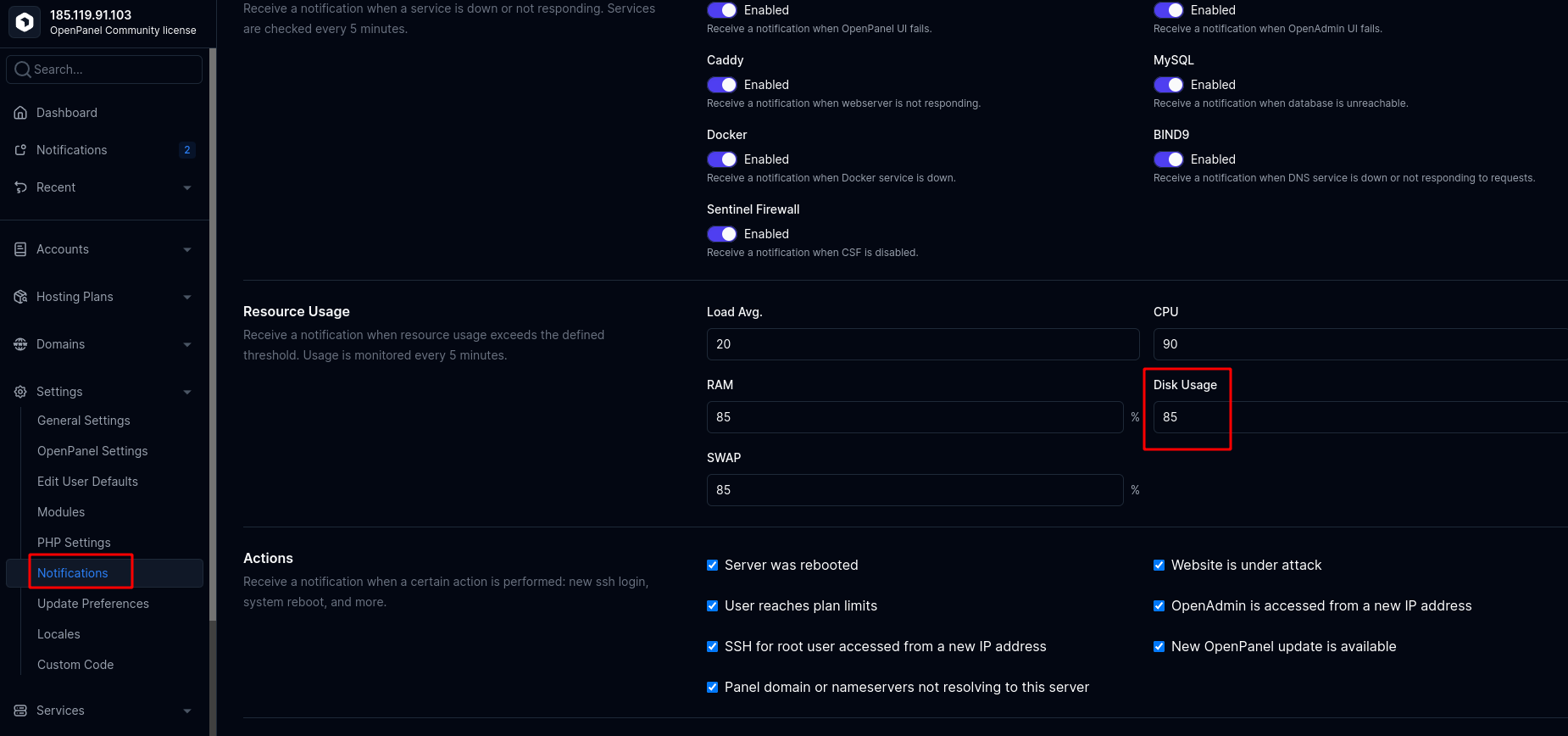
Under OpenAdmin > Settings > Notifications, you can set a threshold percentage. OpenPanel will alert you when disk usage reaches that value:
When the threshold is reached, a notification like this will appear:
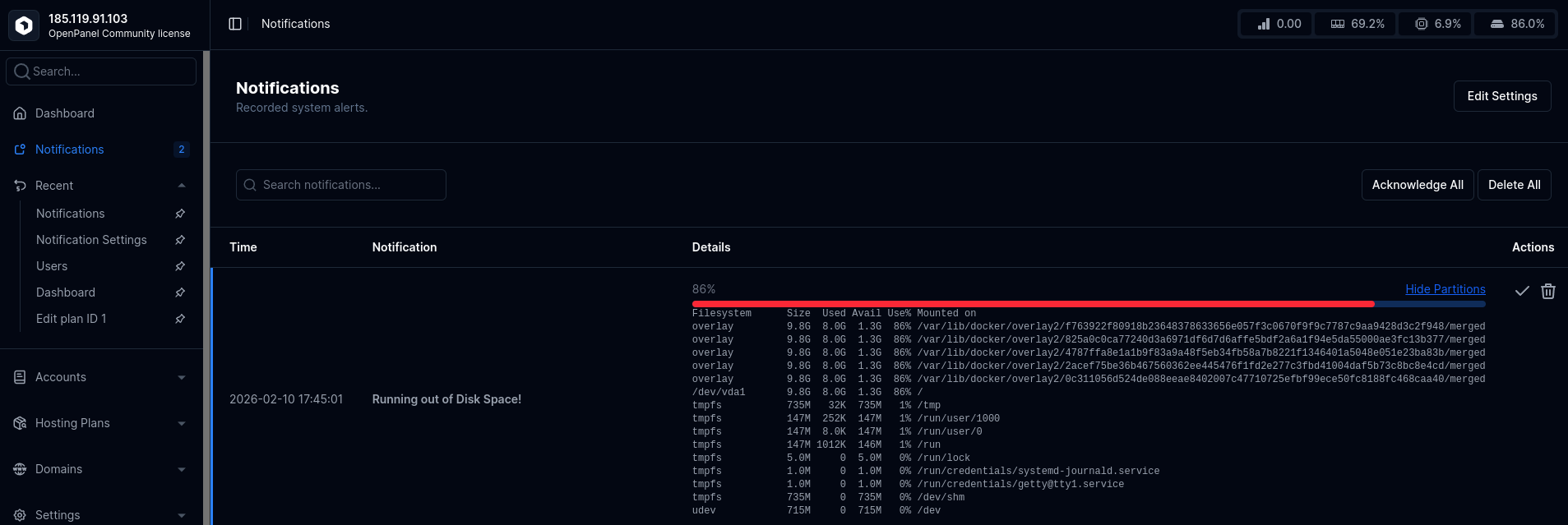
This lets you see which partition is consuming disk space.
In this example, notice that both / and overlay partitions show the same usage. This is because the /var/ folder resides on the / partition, so they are actually the same partition. Here, the entire partition is using 8 GB out of 9.2 GB total:
overlay 9.8G 8.0G 1.3G 86% /var/lib/docker/overlay2/f763922f80918b23648378633656e057f3c0670f9f9c7787c9aa9428d3c2f948/merged
overlay 9.8G 8.0G 1.3G 86% /var/lib/docker/overlay2/825a0c0ca77240d3a6971df6d7d6affe5bdf2a6a1f94e5da55000ae3fc13b377/merged
overlay 9.8G 8.0G 1.3G 86% /var/lib/docker/overlay2/4787ffa8e1a1b9f83a9a48f5eb34fb58a7b8221f1346401a5048e051e23ba83b/merged
overlay 9.8G 8.0G 1.3G 86% /var/lib/docker/overlay2/2acef75be36b467560362ee445476f1fd2e277c3fbd41004daf5b73c8bc8e4cd/merged
overlay 9.8G 8.0G 1.3G 86% /var/lib/docker/overlay2/0c311056d524de088eeae8402007c47710725efbf99ece50fc8188fc468caa40/merged
/dev/vda1 9.8G 8.0G 1.3G 86% /
To find out exactly what is using the disk, you can use tools like ncdu. Install it with:
dnf install ncdu -y # for Fedora/CentOS
apt-get install -y ncdu # for Debian/Ubuntu
Then open the partition you want to check. For the entire server (/), run:
ncdu /
Example output:
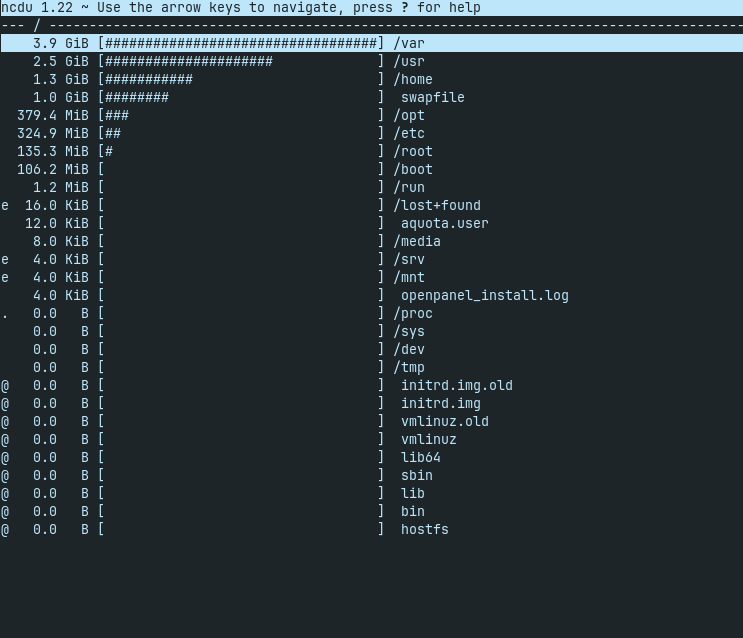
You can navigate directories with the arrow keys:
- Right arrow: enter directory
- Left arrow: go back
- Up/Down arrows: navigate
If disk usage is under /home/, it indicates OpenPanel user containers are using the space.
If it’s under /var/lib/docker/, it’s mostly system containers.
To free disk space, make sure to disable and remove any unused services or containers.