Encountered an issue where caddy webserver kept restarting, docker logs -f caddy shows:
caddy exited with code 137 (restarting)
137 code indicates that the service does not have enough cpu/memory, in this case, default limit on caddy is 1 CPU core and 1GB of RAM, which might not be enough on a server with 20+ domains, as caddy will load the configuration and chekc all certificates on startup.
Solution is to increase cpu and ram for caddy:
From terminal
edit /root/.env file:
nano /root/.env
and update: CADDY_RAM and CADDY_CPUS from the defaults:
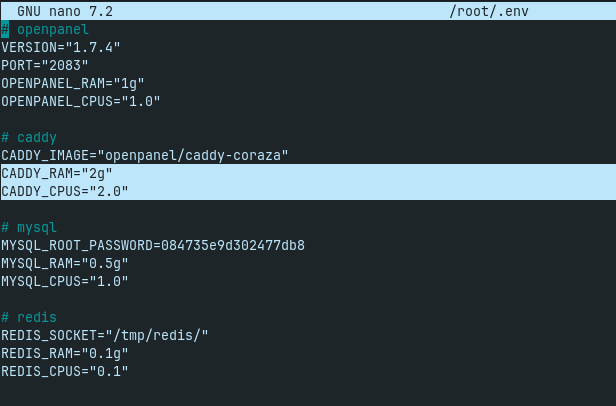
save the file, and then restart caddy to apply the new limit:
cd /root && docker compose down caddy && docker compose up -d caddy
From OpenAdmin
Navigate to OpenAdmin >Services > Service Limits and increase the CPU/Memory limits for CADDY, then click on 'Save':
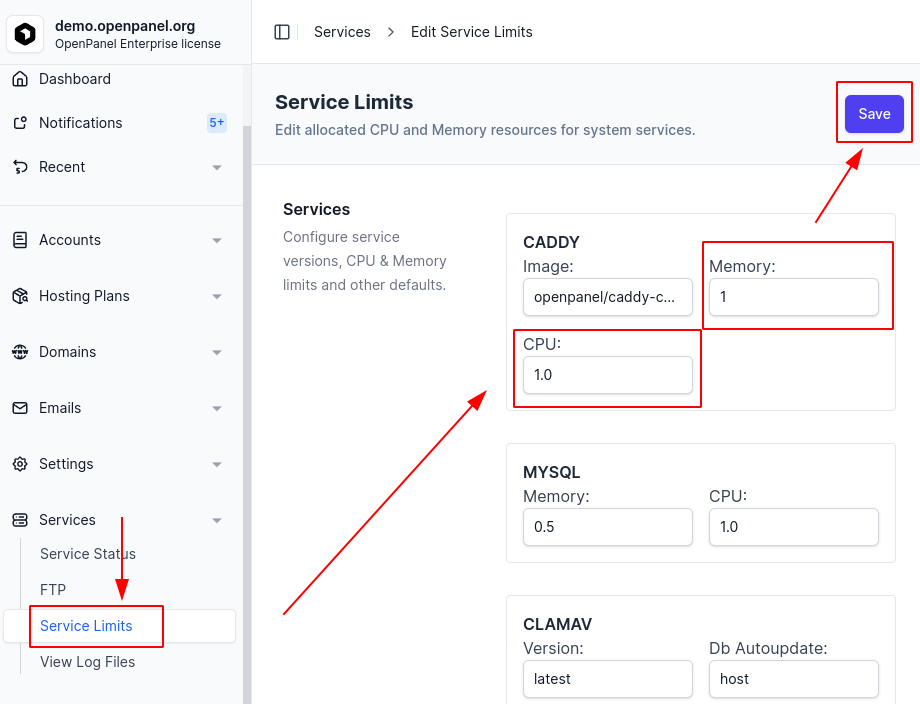
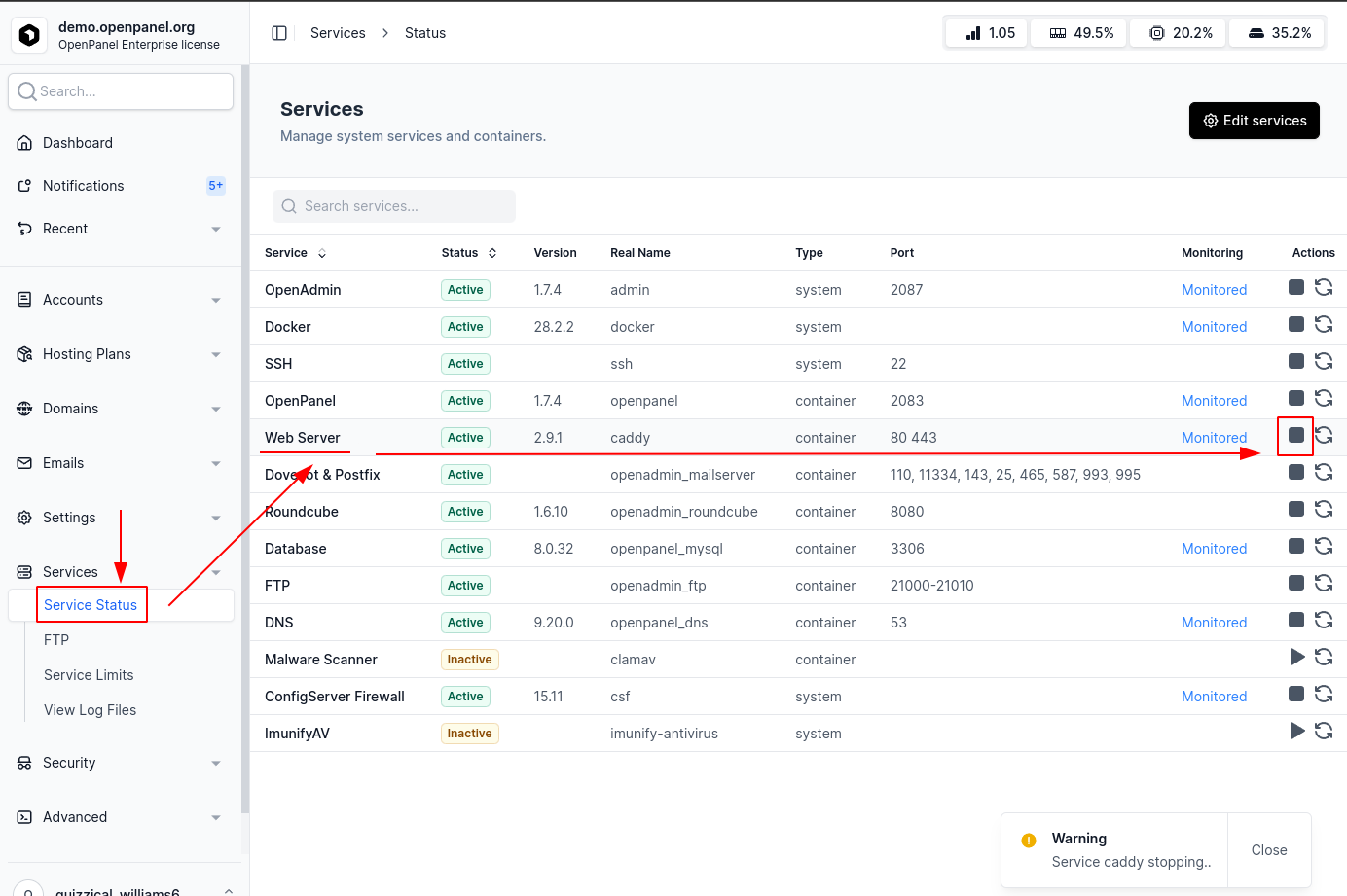
then to restart Caddy, navigate to OpenAdmin >Services > Status and click stop, then start for 'Web Server':