If you plan to use external nameservers (such as Cloudflare), you can safely disable the BIND service on your OpenPanel server. This reduces resource usage and prevents conflicts with local DNS.
To fully disable DNS-related features on the server:
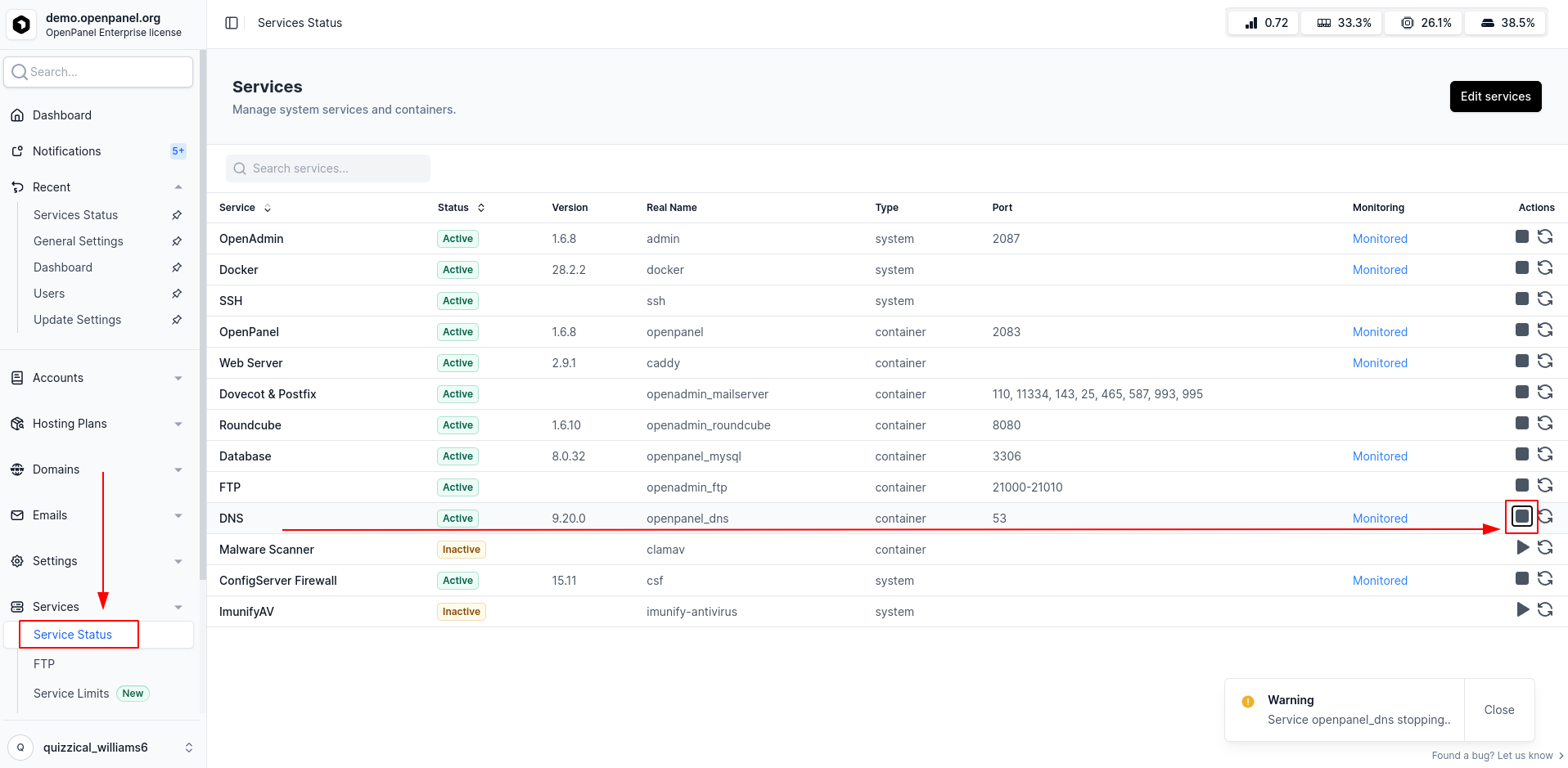
Stop BIND
Go to OpenAdmin > Services > Services Status and stop BIND if it’s already running (if domains have been added).
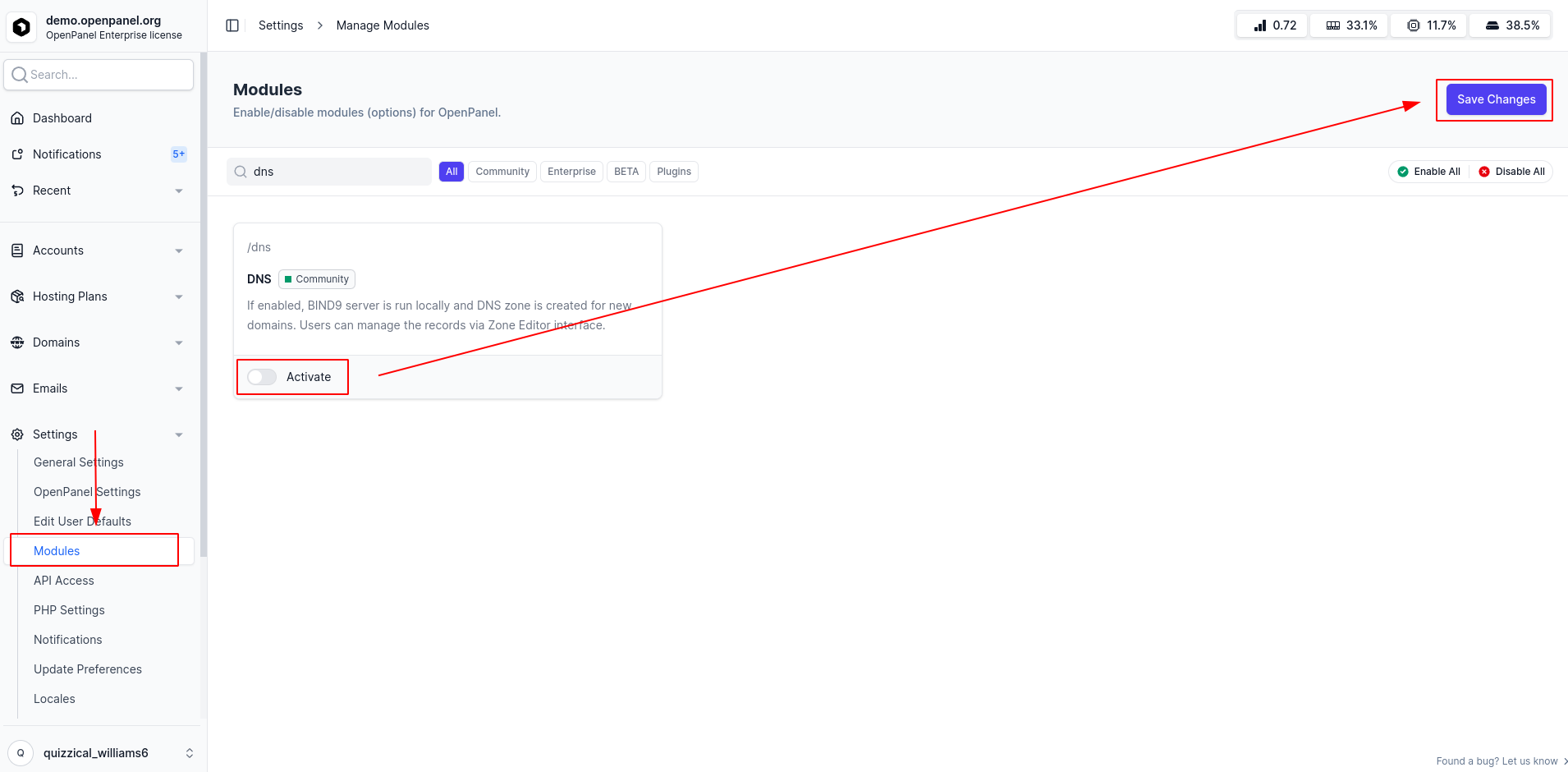
Disable the DNS Module
Navigate to OpenAdmin > Settings > Modules and disable the DNS module. This will turn off all DNS features in the user panel and prevent local DNS zones from being created.
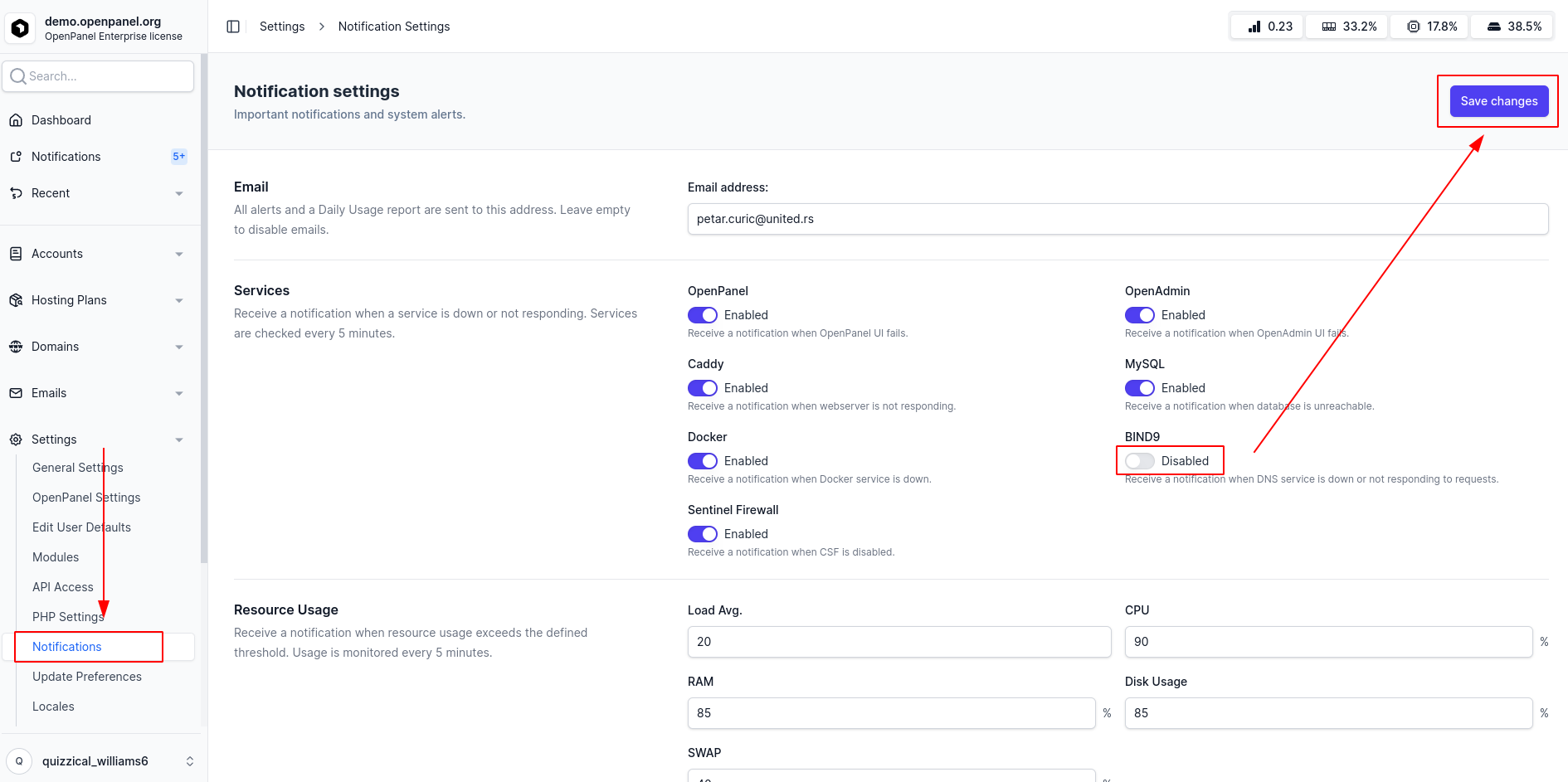
Prevent BIND from Auto-Starting
Go to OpenAdmin > Settings > Notifications and disable BIND9. This ensures the system does not automatically start the BIND service.