Here are different ways to check if 2FA is enabled on an account:
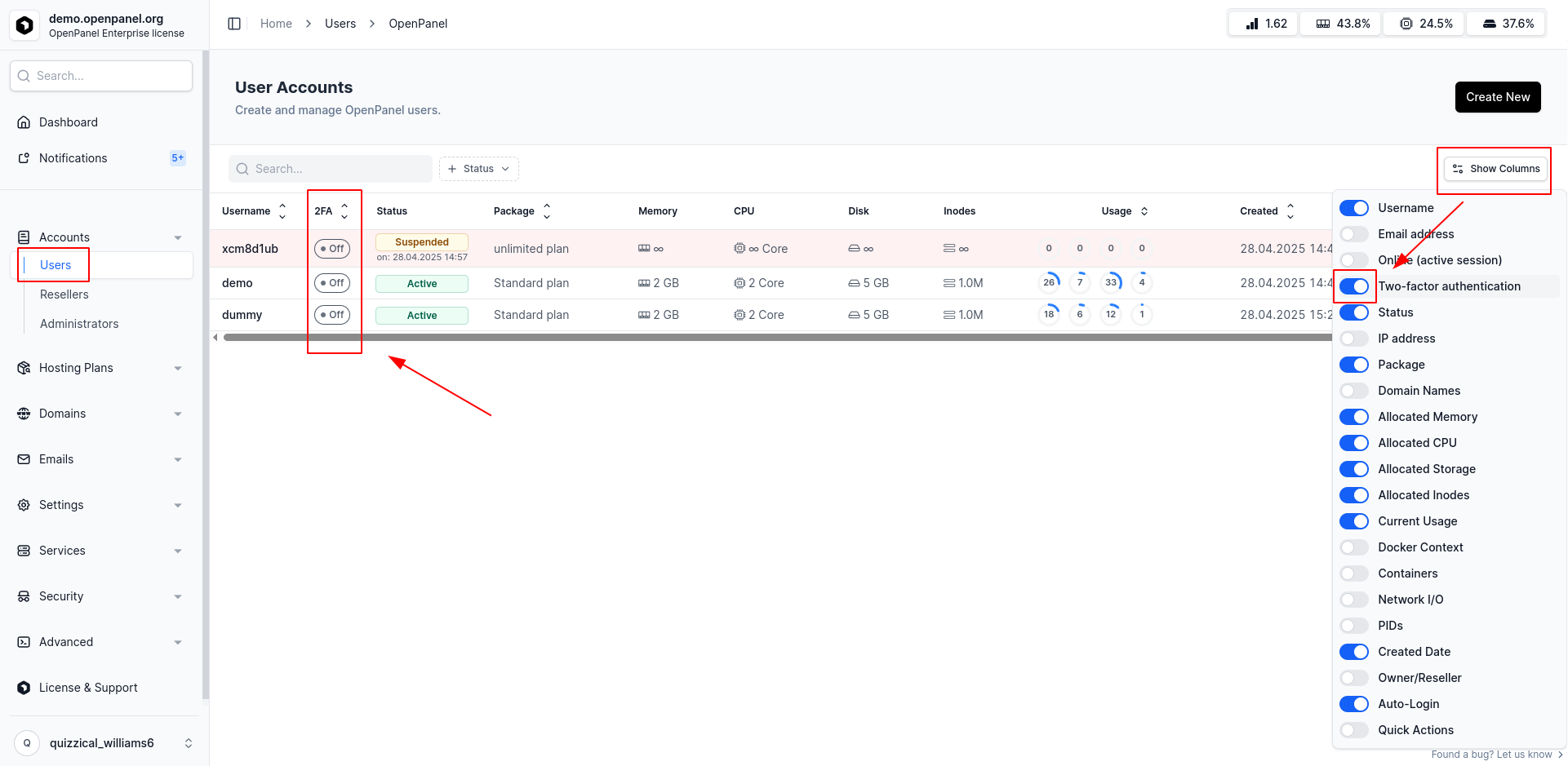
Option 1: OpenAdmin → Users → All
Log in to OpenAdmin, then go to Users. Click the Show Columns button and enable Two-Factor Authentication.
A new column will appear, displaying the 2FA status for all users.
Option 2: OpenAdmin → Users → Single User
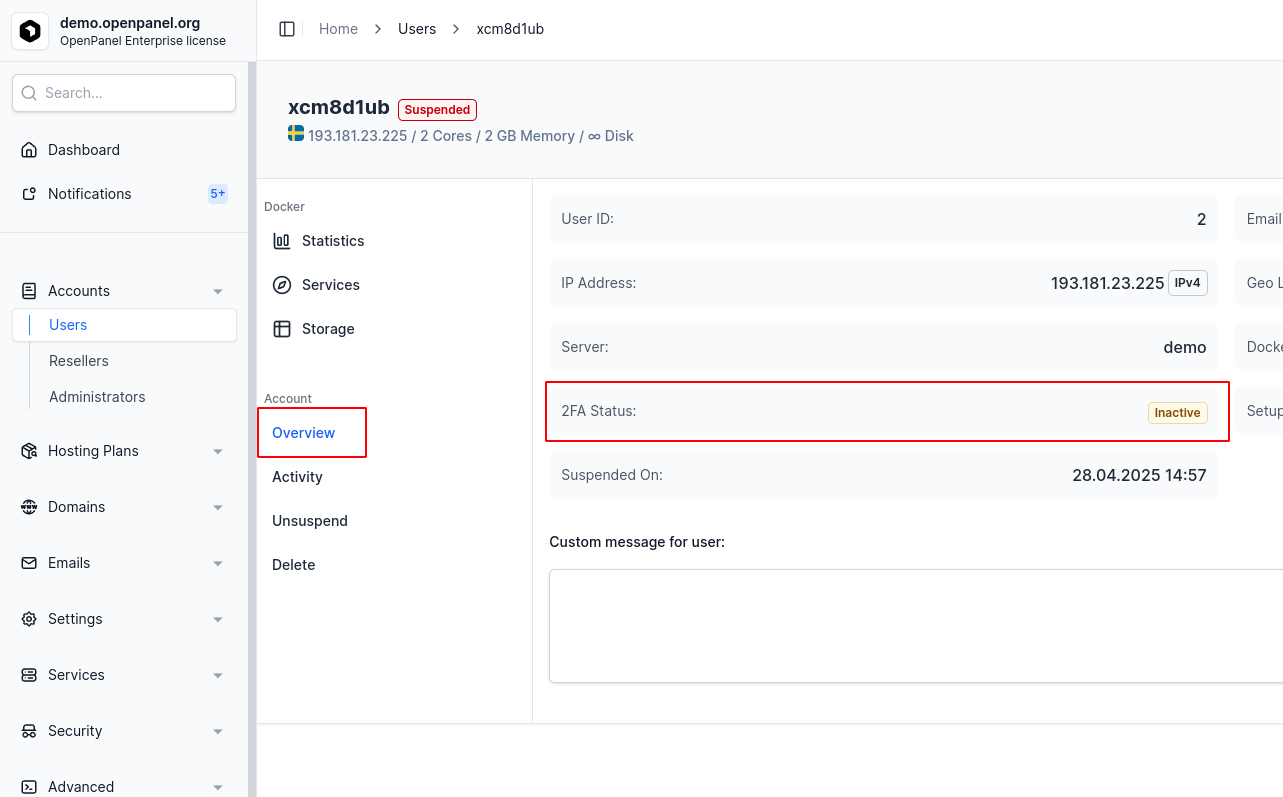
Log in to OpenAdmin, navigate to Users, and click on a username or the Manage button.
Open the Overview tab and locate the 2FA Status field:
Option 3: OpenPanel Account
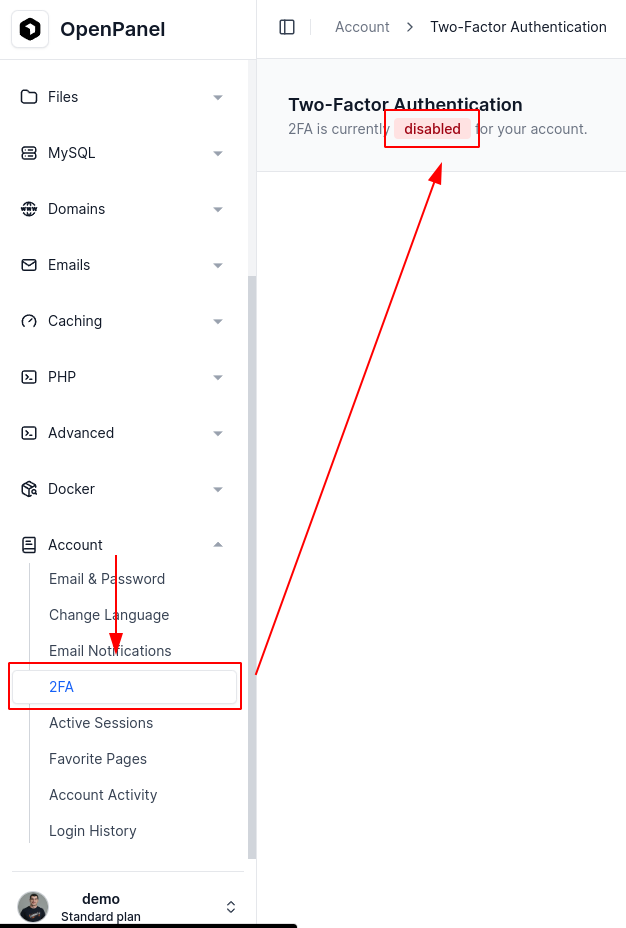
Log in to OpenPanel, then go to Account.
If a 2FA menu is available, click it to view your current two-factor authentication status.
Option 4: Terminal (OpenCLI)
Log in to the server via SSH as the root user, then run the opencli user-2fa command:
opencli user-2fa <USERNAME>
Option 5: Login Form
If two-factor authentication is enabled for your account, you’ll be prompted to enter a 2FA code on the OpenPanel login page.
Option 6: OpenPanel API
You can also check the 2FA status via the OpenPanel API:
curl -X GET https://OPENPANEL:2083/api/account/2fa \
-H "Authorization: Bearer JWT_TOKEN_HERE"
Example response:
{
"enabled": true,
"method": "authenticator_app",
"code": "123456"
}