Both OpenPanel and OpenAdmin templates use TailwindCSS.
You can customize the color schemes, fonts, and everything else by modifying the output.css file.
Here is an example customization that changes the default font to Mono, color scheme from blue to red and removes rounded corners:
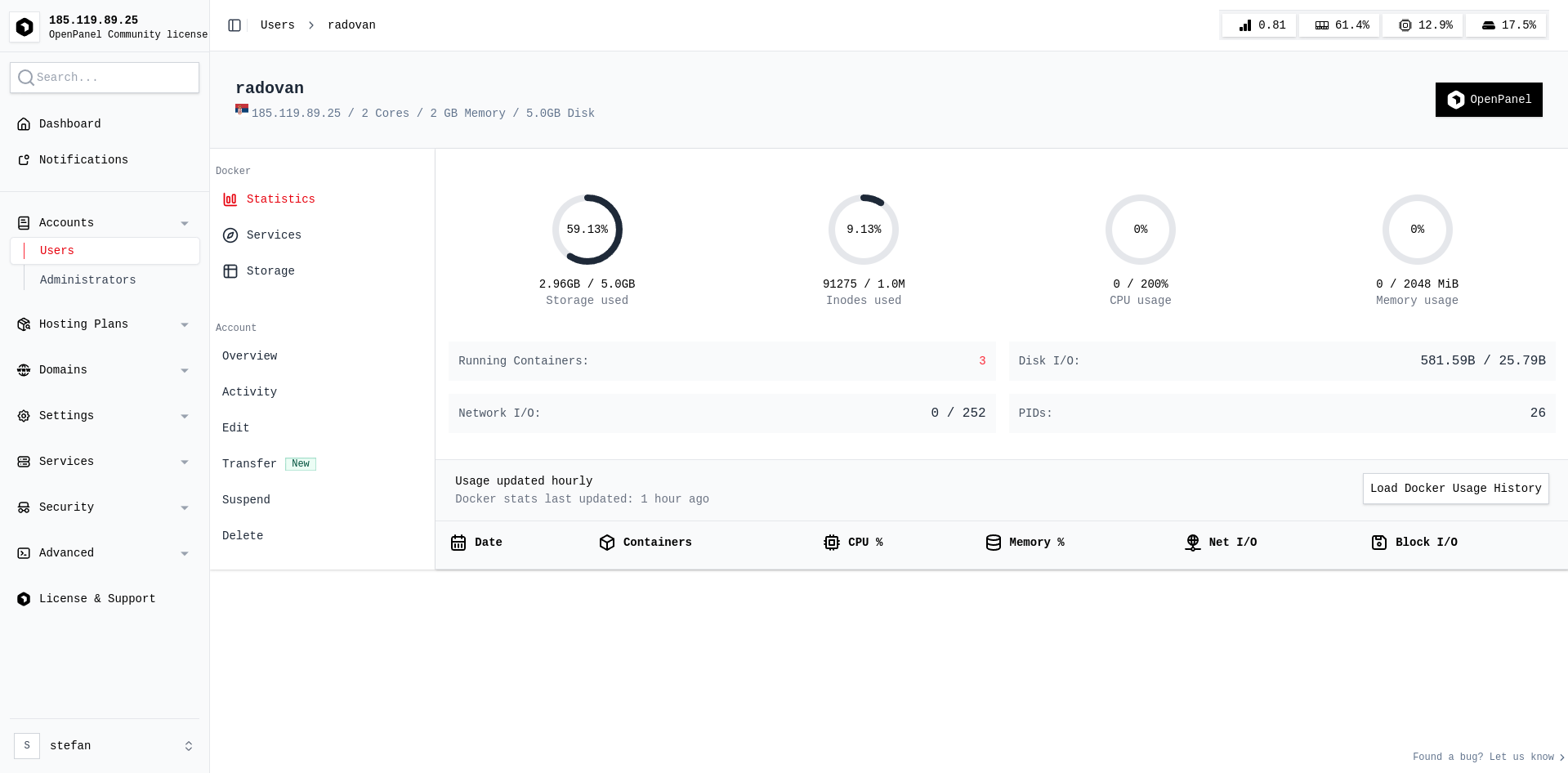
To edit color scheme:
You can customize the /usr/local/admin/static/dist/output.css file directly but modifications will be overwritten on update.
To customize the file and make changes permanent (not overwritten on update) follow these steps:
- Copy the file to some other location:
cp /usr/local/admin/static/dist/output.css /root/custom_output.css
- Edit the
/root/custom_output.css file, for example copy-paste code from this gist for same style like on the above screenshot
- Create post-update hook that will restore your custom style after each OpenPanel update:
nano /root/openpanel_run_after_update
and in it:
#!/bin/bash
cp /root/custom_output.css /usr/local/admin/static/dist/output.css
service admin restart
that's it