OpenPanel uses the following email templates to send emails:
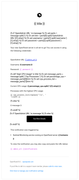
- admin_notifications.html - to send system notifications to administrator.
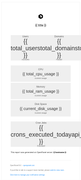
- daily_system_report.html - to send daily usage report to administrator.
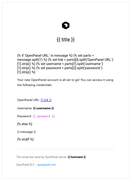
- new_user.html - to send login credentials to new OpenPanel user acocunt if 'send email' is checked when creating a user
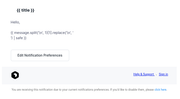
- user_notifications.html - to send email notifications to users based on their preferences
Click on an image to preview the template:
You can customize these templates in /usr/local/admin/templates/email/ directory but they will be overwritten on update.
To customize templates and make changes permanent (not overwritten on update) follow these steps:
- Copy templates to some other location:
cp -r /usr/local/admin/templates/email/ /root/custom_email_templates/
- Edit your templates in
/root/custom_email_templates/
- Create post-update hook that will restore your custom templates after each OpenPanel update:
nano /root/openpanel_run_after_update
and in it:
#!/bin/bash
cp -r /root/custom_email_templates/ /usr/local/admin/templates/email/
that's it